Text-to-image generation
Describe the subject, scene, and lighting to create product visuals, illustrations, and campaign assets.

Images API
Generate and edit images with GPT Image 2.5. Create product visuals, campaign assets, and illustrations from text or reference images.
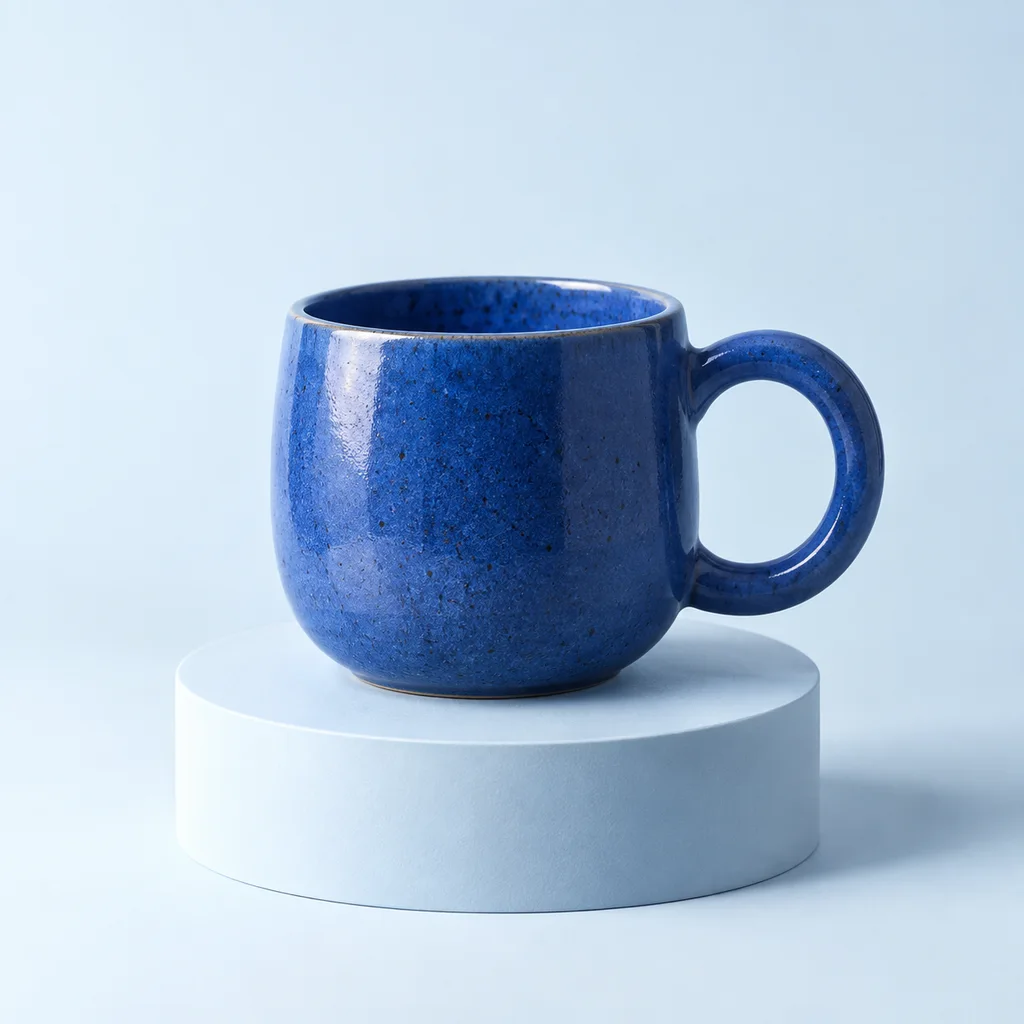
A cobalt-blue ceramic cup, soft studio lighting, a clean pale-blue backdrop.
IMAGE CREATION
Describe the subject, scene, and lighting to create product visuals, illustrations, and campaign assets.
Edit an existing image, change its setting or style, or use a mask to select an area.
Choose the ratio, 1K / 2K / 4K, and file format. Up to 4 outputs per request.
IMAGE EDITING
“Keep the blue cup. Move it to a sunlit terrace with warm tones and olive-leaf shadows.”

FROM BRIEF TO IMAGE
Text-to-image generation suits a new illustration, campaign concept, or article cover when there is no source image to preserve. Describe the subject, setting, composition, and visual style so the output has a clear purpose.
Use reference image editing when you already have a starting point. Specify what should stay and what should change, such as keeping a product while replacing its setting. Review the result for product details, proportions, and brand accuracy before publishing.
Explore visual content workflowsA website banner, social post, and product card need different framing. Choose the aspect ratio for the intended placement, describe where the subject should sit, and leave room for any headline or interface elements you will add later.
Use resolution to match the final output size, not to compensate for an unclear brief. For a series of assets, reuse the same descriptions of lighting, palette, and composition while changing the subject or scene. Check the series together for visual consistency.
Browse image prompt examplesStart in the browser to compare prompts, reference images, and output settings. Once a direction works for your content, use the API to bring the same inputs into your application or publishing workflow.
Automation can prepare candidate images for review, but generation does not make every output publication-ready. Keep a review step for visible text, logos, and product features, especially when an image will represent a real item for sale.
Try the AI image generatorINTEGRATION
Generate and edit images in your app or automated workflow.
Try prompts, reference images, and output settings in your browser.
Give compatible AI agents access to image generation and editing tools.
curl --request POST 'https://api.sukidata.com/v1/images/generations/async' \
  --header "Authorization: Bearer $SUKIDATA_API_KEY" \
  --header "Idempotency-Key: $SUKIDATA_REQUEST_ID" \
  --header 'Content-Type: application/json' \
  --data '{
    "model": "gpt-image-2.5",
    "prompt": "A cobalt-blue ceramic cup, soft studio lighting",
    "size": "1254x1254",
    "quality": "high",
    "n": 1
}'curl 'https://api.sukidata.com/v1/images/tasks/YOUR_TASK_ID' \
--header "Authorization: Bearer $SUKIDATA_API_KEY"AI IMAGES
GPT Image 2.5 · GPT Image 2
Priced by resolution. All quality settings cost the same.
FAQ
Yes. Upload reference images in the Playground or send them to the image editing API. Describe the change you want; you can also supply a mask for a specific area.
GPT Image 2 and GPT Image 2.5 are supported. Both models support up to 4 outputs per request, auto, low, medium, or high quality, and PNG, JPEG, or WebP output. Choose an aspect ratio and resolution in the Playground, or set dimensions in the API.
Pay per image from your USD AI balance: $0.03 at 1K, $0.05 at 2K, or $0.08 at 4K.
Submit an asynchronous request to receive a task ID, then check the task until it completes or fails. The Playground follows the task for you; MCP provides tools for starting a task and checking its result.
START CREATING
Generate or edit images in the Playground, then bring them into your product through the API.