
Visual Content Creation
Turn a product image into a new campaign scene
Upload a reference, describe the setting, and explore new lighting and compositions. Create product visuals and social imagery in the browser or through Images API.
- Product visuals
- Marketing campaigns
- Creative projects
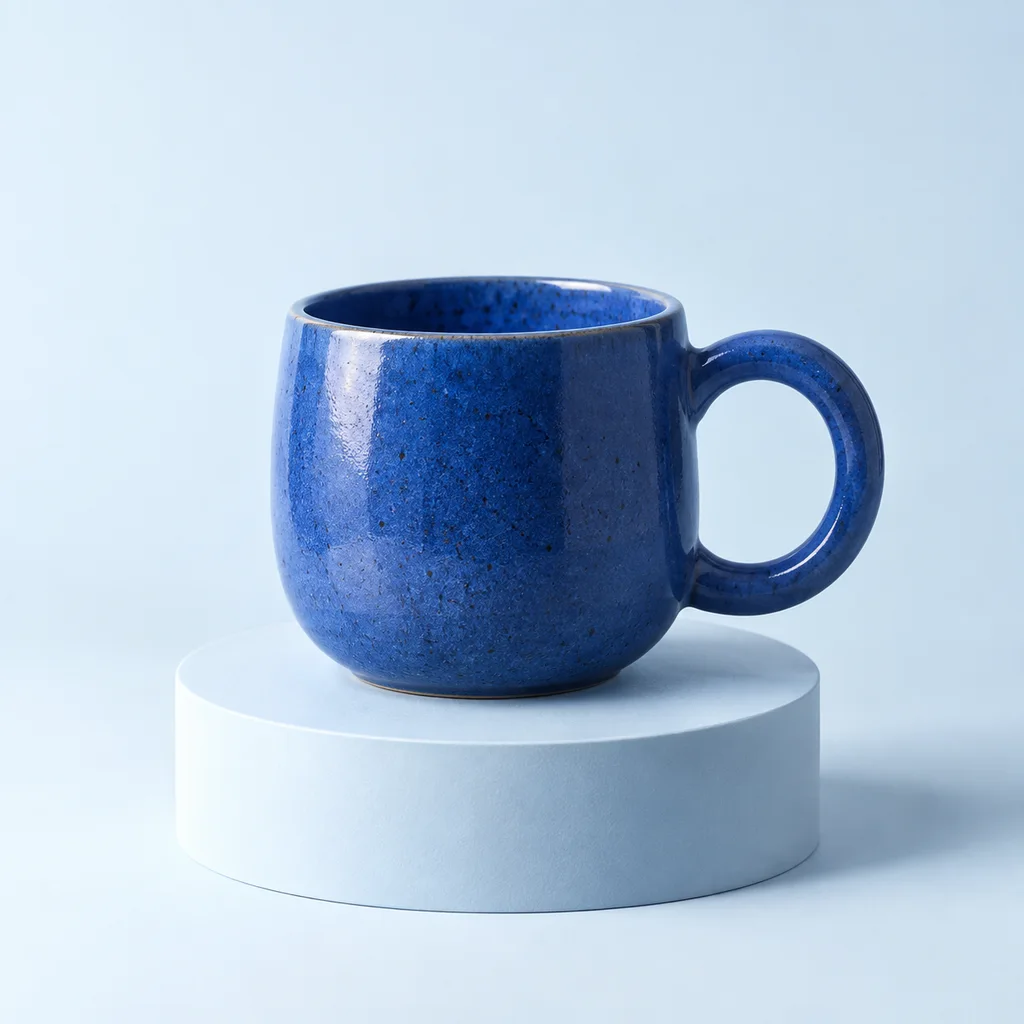 Reference
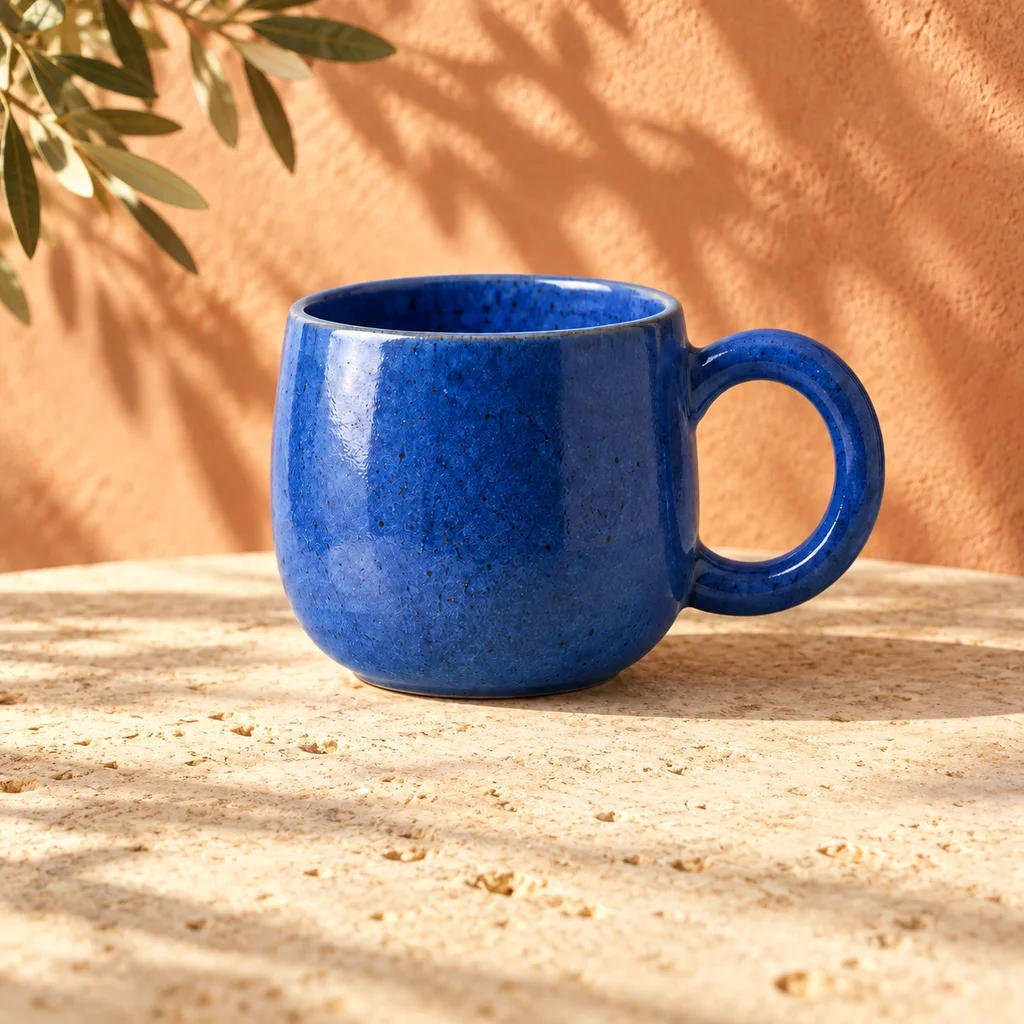 Scene edit
Use cases
Start with the product. Change the creative direction.
Explore a different setting
Use a reference image to move from a studio background to a tabletop, outdoor scene, or seasonal setting. Describe the product details you want to retain.
Compose for the placement
Choose an aspect ratio for a product listing, social post, or banner. Specify where the subject should sit and leave room for copy you will add later.
Develop a campaign direction
Try lighting, color palettes, and illustration styles before committing to a visual direction. Refine a chosen result with another reference edit.
WORKED EXAMPLE
Build a small campaign around one product reference
Suppose you have a studio photograph of a blue ceramic cup and need a product-page image, a social post, and a website banner. Keep the product reference and color direction consistent, but write the composition for each destination.
A useful starting brief is: “Keep the blue ceramic cup and its handle shape. Place it on a warm stone terrace in soft morning light, with leafy shadows in the background.” Add the placement-specific instructions below rather than asking for three unrelated creative concepts.
| Placement | Composition brief | Review focus |
|---|---|---|
| Product detail page | Show the full cup with an uncluttered background | Shape, handle, and surface detail |
| Social post | Use a closer crop and a clear focal point | Legibility at feed size |
| Website banner | Place the cup to one side; leave space for a headline | Subject position and text space |
Compare the outputs as a set, choose the strongest direction, and add final campaign copy in your design tool. The reference guides the edit; check the generated product details before publishing.
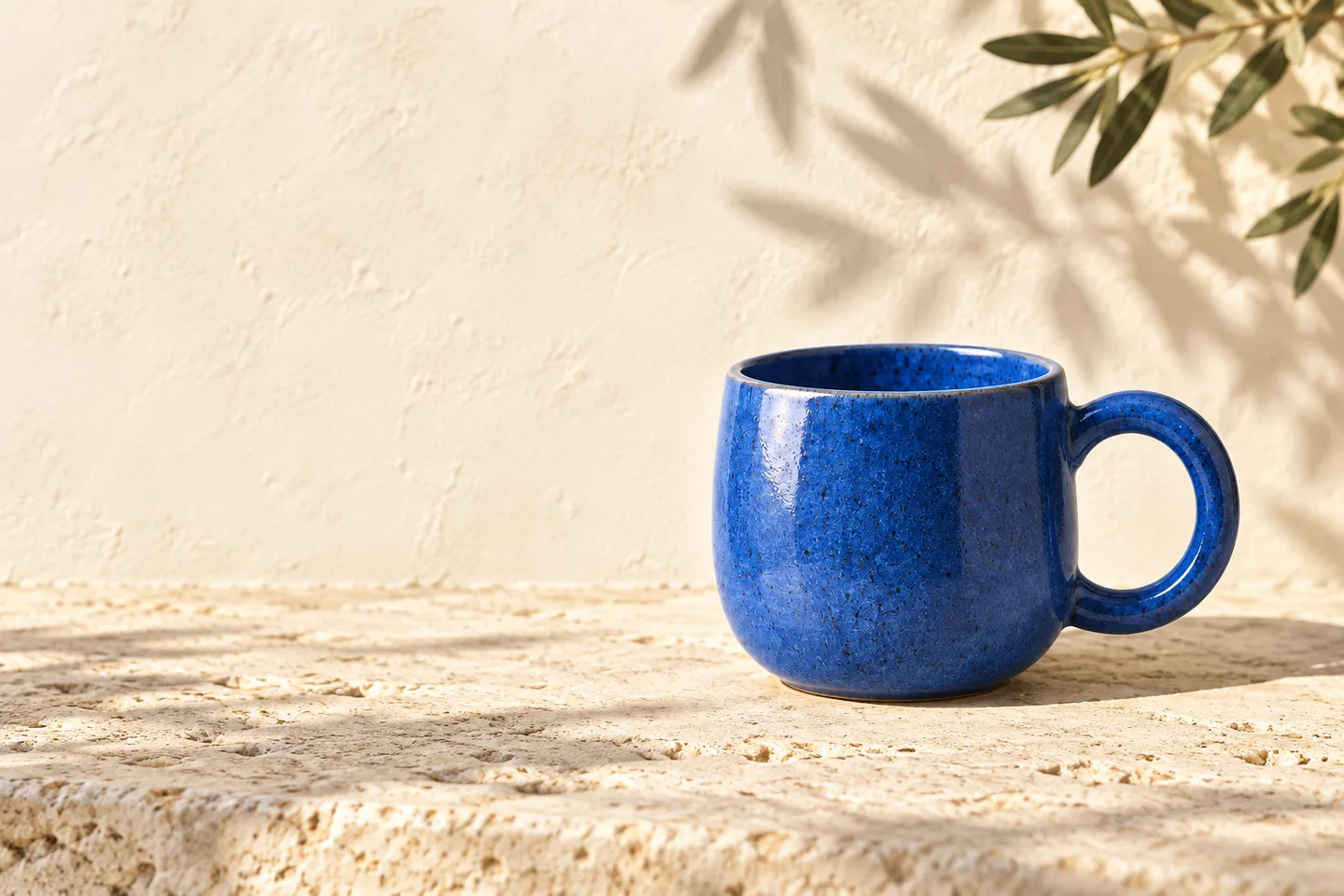
to campaign banner
How to build it
From inspiration to your next image.
- 01
Find a starting point
Browse Image Prompts for an example you like, or describe your own subject, style, lighting, and composition.
- 02
Create and refine
Open the online image generator. Adapt the prompt, choose an aspect ratio, and add your own reference images when needed.
- 03
Use your images
Download your chosen result. Connect the Images API or MCP tools when image creation becomes part of an ongoing workflow.
MAKE THE BRIEF DO MORE
Develop a visual direction you can keep using
Decide what stays and what changes
Start with a clear reference when the subject already exists. Name the details that matter—the silhouette, color, material, or handle—and describe the setting you want to replace. This makes a product-scene edit more focused than a prompt that only asks for a beautiful advertisement.
For an article illustration or a concept with no existing product to preserve, start from text instead. Describe the subject, visual style, and destination together. A small editorial spot illustration needs a different composition from a full-width campaign cover.
Compare creative directions one change at a time
Try a studio setting, a natural-light scene, or a more graphic composition while keeping the product and brief otherwise consistent. This makes it easier to judge what the setting contributes, rather than comparing images where everything changed at once.
Once one direction works, use it as the reference for the next edit. Keep useful wording about lighting and palette with the selected image, then adjust the framing for another placement. Review the group together so it feels like one campaign rather than a collection of unrelated outputs.
Move from a draft to a repeatable content task
For occasional work, use the browser image generator to test a prompt, upload references, and download a result. The Image Prompts library can provide starting points for subject, style, or composition without dictating the final design.
When the task repeats across products or articles, send your chosen prompts and references through Images API, or use image tools from an MCP client. Keep the resulting candidates in your existing review process so the final selection, copy, and publishing remain with your team.
FAQ
Visual Content Creation questions.
Can I create images without writing code?
Yes. Use the AI Image Generator on the website. Start with your own prompt or open an example from Image Prompts and make it your own.
Can I edit an existing image?
Yes. Upload reference images and describe the changes you want. You can also use a mask to select an area for editing.
Which image formats and resolutions are available?
Choose PNG, JPEG, or WebP, with 1K, 2K, and 4K resolution options. Use a preset aspect ratio or set a custom size.
Can I add image creation to my application or agent?
Yes. The Images API supports generation and editing. MCP clients can use the same image tools alongside search and public Twitter data.
Get started
Create the image you have in mind.
Start with a prompt, explore a new direction, and make it your own.